Node.js package manager ( npm )
•2 min read
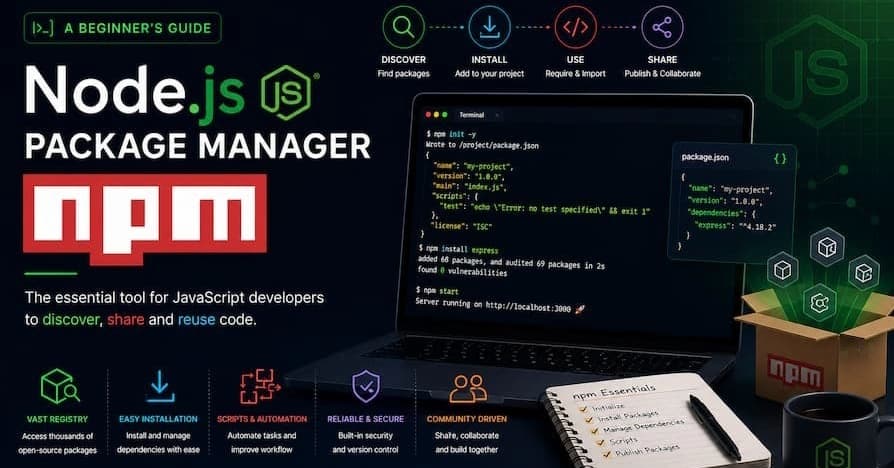
Node.js, a powerful JavaScript runtime built on Chrome's V8 engine, has revolutionized server-side development. One of the key components that has contributed to its widespread adoption is npm, the Node.js package manager. npm stands for Node Package Manager, and it plays a crucial role in the Node.js ecosystem by simplifying the process of managing and sharing code.
What is npm?
npm is a package manager for JavaScript, primarily used for managing dependencies in Node.js projects. It allows developers to install, share, and manage code packages, making it easier to build and maintain applications. With a vast repository of open-source packages, npm provides a rich ecosystem that developers can leverage to accelerate their development process.
Key Features of npm
1. Package Installation
One of the primary functions of npm is to install packages. Developers can easily add new libraries or tools to their projects using simple commands. For example, to install a package, you can use:
bash
npm install <package-name>This command fetches the specified package from the npm registry and adds it to your project's node_modules directory.
2. Dependency Management
npm handles the dependencies of your project efficiently. When you install a package, npm also installs any other packages that the main package depends on. This ensures that your project has all the necessary components to function correctly.
3. Version Control
npm allows you to specify the version of a package you want to install. This is particularly useful for maintaining consistency across different environments. You can specify a version range in your package.json file to ensure that your project uses compatible versions of dependencies.
4. Scripts
npm provides a convenient way to define and run scripts for common tasks. These scripts can be defined in the scripts section of your package.json file. For example, you can define a script to start your application:
json
"scripts": {
  "start": "node app.js"
}
You can then run this script using:
bash
npm start5. Publishing Packages
npm allows developers to publish their own packages to the npm registry. This makes it easy to share code with the community and contribute to the open-source ecosystem. To publish a package, you need to create a package.json file with the necessary metadata and then use the following command:
bash
npm publish6. Security
npm includes security features to help protect your projects. It can audit your project's dependencies for known vulnerabilities and provide recommendations for fixing them. You can run a security audit using:
bash
npm auditConclusion
npm is an indispensable tool for Node.js developers. It simplifies the process of managing dependencies, automates common tasks, and provides a platform for sharing and discovering code. Whether you are building a small project or a large-scale application, npm can help streamline your development workflow and enhance your productivity.