Express.js
•2 min read
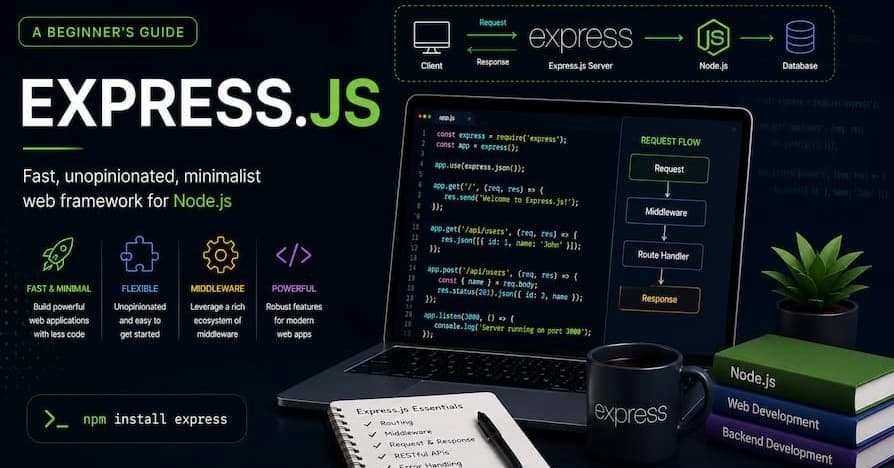
Express.js is a minimal and flexible Node.js web application framework that provides a robust set of features for web and mobile applications. It is designed to build single-page, multi-page, and hybrid web applications efficiently. Here are some key aspects of Express.js:
Key Features
1. Middleware
Express.js uses middleware to handle requests. Middleware functions can execute any code, make changes to the request and response objects, end the request-response cycle, and call the next middleware function in the stack.
2. Routing
Express.js provides a robust routing mechanism, allowing developers to define routes for different HTTP methods and URLs. This makes it easy to manage different endpoints in an application.
3. Template Engines
Express.js supports various template engines like Pug, EJS, and Handlebars, enabling developers to generate dynamic HTML pages.
4. Error Handling
Express.js has a built-in error-handling mechanism that helps in managing errors efficiently. Custom error-handling middleware can be defined to handle different types of errors.
5. Extensibility
Express.js is highly extensible, allowing developers to add additional functionality through third-party middleware and plugins.
Getting Started with Express.js
Installation
To install Express.js, you need to have Node.js and npm (Node Package Manager) installed. You can install Express.js using the following command:
bash
npm install expressBasic Usage
Here is a simple example of an Express.js application:
javascript
const express = require('express');
const app = express();
const port = 3000;

app.get('/', (req, res) => {
  res.send('Hello World!');
});

app.listen(port, () => {
  console.log(`Example app listening at http://localhost:${port}`);
});
In this example, we create an Express.js application, define a route for the root URL (/), and start the server on port 3000.
Advanced Features
1. Middleware Functions
Middleware functions are functions that have access to the request object (req), the response object (res), and the next middleware function in the application’s request-response cycle. Middleware can be used for various purposes, such as logging, authentication, and data parsing.
2. Routing
Express.js provides a powerful routing API that allows you to define routes for different HTTP methods and URL patterns. Here is an example of defining routes:
javascript
app.get('/users', (req, res) => {
  res.send('GET request to the users page');
});

app.post('/users', (req, res) => {
  res.send('POST request to the users page');
});
3. Template Engines
Express.js supports various template engines, which allow you to generate dynamic HTML content. Here is an example of using the Pug template engine:
javascript
app.set('view engine', 'pug');

app.get('/hello', (req, res) => {
  res.render('index', { title: 'Hey', message: 'Hello there!' });
});
4. Error Handling
Express.js provides a default error-handling middleware, but you can also define custom error-handling middleware. Here is an example:
javascript
app.use((err, req, res, next) => {
  console.error(err.stack);
  res.status(500).send('Something broke!');
});
Conclusion
Express.js is a powerful and flexible framework for building web applications with Node.js. Its simplicity, combined with a rich set of features, makes it a popular choice among developers. Whether you are building a simple web application or a complex API, Express.js provides the tools you need to get the job done efficiently.